How to Automate Social Media Posting with Claude Code, Composio, and Blotato
 ·
· 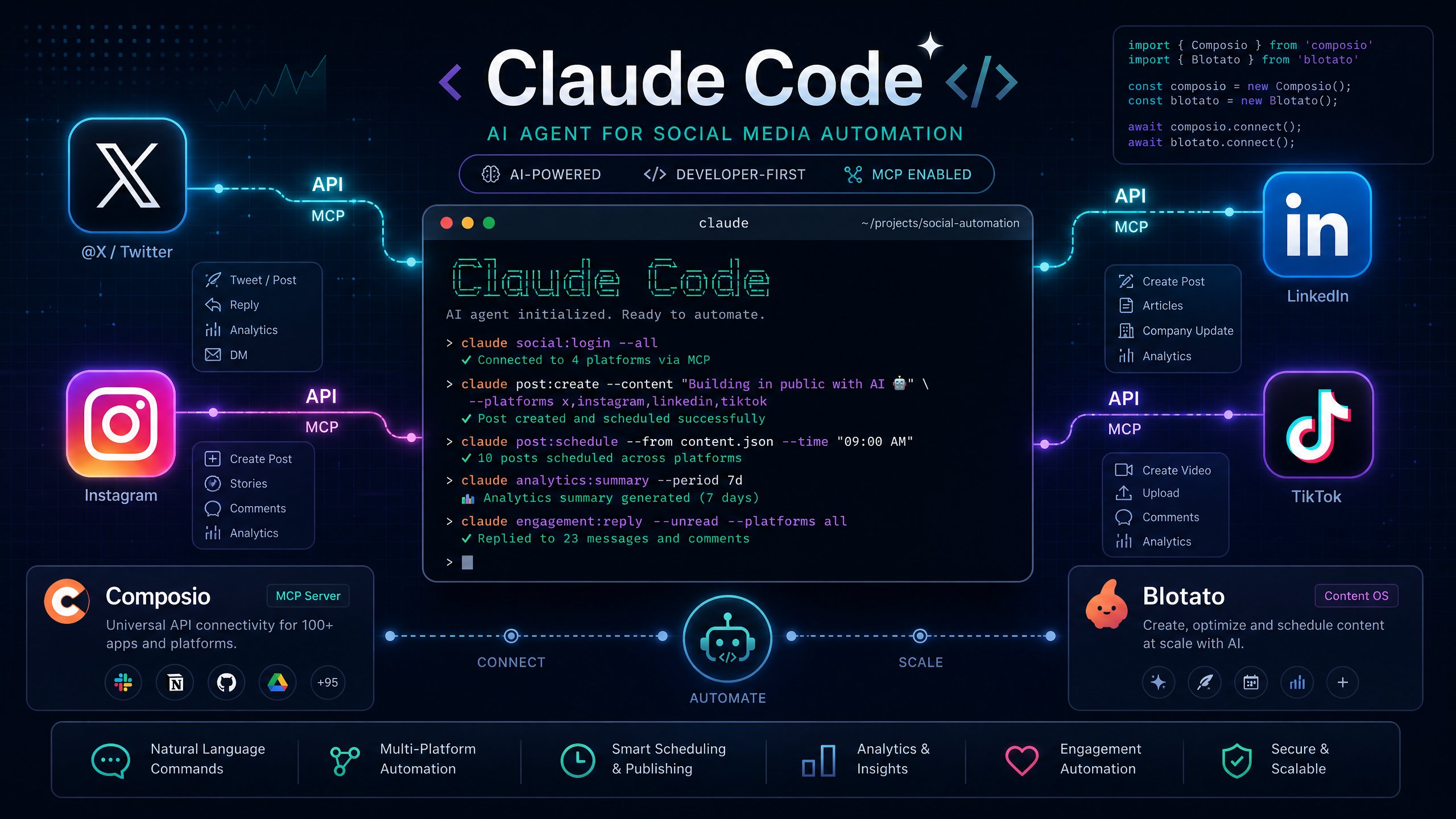
The era of manually copy-pasting content across different social media platforms is over. As we move deeper into 2026, developers and creators are discovering that AI agents like Claude Code can do much more than just write software. By leveraging the Model Context Protocol (MCP), you can now connect Claude Code directly to social media platforms to generate, format, and publish content autonomously.
In this comprehensive guide, we will explore how to build a fully automated social media content pipeline using Claude Code. We will compare two of the most powerful integration platforms available today: Composio and Blotato. Whether you are a solo creator managing a personal brand or a developer building a client dashboard, these tools allow you to turn your terminal into a social media command center.
The Shift to Agentic Social Media Management
Social media automation has traditionally relied on rigid scheduling tools like Buffer or Hootsuite. These platforms are excellent for queuing posts you have already written, but they do not solve the problem of content creation. The new generation of automation relies on agentic workflows, where an AI understands your brand voice, generates the content, formats it for specific platforms, and then pushes it live.
Claude Code, originally designed as an agentic coding system, has become the orchestrator for these workflows. Because it operates in your local terminal, it can interact with file systems, read your existing content, and execute API calls. However, Claude Code does not have native access to platforms like LinkedIn or Instagram out of the box. This is where MCP (Model Context Protocol) servers bridge the gap, providing the necessary tools and authentication for Claude to execute social media actions securely [1] [2].
Option 1: Automating Social Media with Composio MCP
Composio is a developer-first platform that provides managed MCP servers for over 1,000 applications, including major social networks. It is particularly useful if you are building complex, custom automation workflows where you need granular control over individual platforms like Twitter/X, LinkedIn, or Instagram.
Why Choose Composio?
Composio handles the most difficult part of API integration: authentication. When you connect a social media platform through Composio, it manages the OAuth flows, token refreshes, and API rate limits automatically. This means your Claude Code agent can focus entirely on the logic of content generation and scheduling without crashing due to expired credentials [1].
The platform offers a generous free tier, allowing up to 20,000 tool calls per month, which is more than enough for a solo creator's social media pipeline. For higher volume operations, their paid plans scale linearly with usage [3].
How to Connect Twitter to Claude Code via Composio
The integration process is streamlined to get you from zero to automated posting in just a few steps. First, you must ensure you have Claude Code installed and running in your terminal.
- Generate the MCP URL: Navigate to the Composio dashboard and select the Twitter toolkit. Composio provides a programmatic way to generate a secure MCP URL that includes your specific API key and session requirements.
- Add the MCP Server: In your Claude Code terminal, execute the command to add the Composio server. The command typically looks like this:
claude mcp add --transport http twitter-composio "YOUR_GENERATED_MCP_URL" --headers "X-API-Key:YOUR_COMPOSIO_API_KEY" - Restart and Authorize: Restart your Claude Code session and use the
/mcpcommand to verify the connection. Composio will prompt you to complete the OAuth authorization flow for your Twitter account [1].
Once connected, you can instruct Claude Code to draft and publish tweets. For example, you can ask Claude to read your local repository of blog posts, extract the key insights, format them into a 5-tweet thread, and publish them sequentially using the Twitter API tools provided by Composio.
Option 2: Automating Social Media with Blotato
While Composio is excellent for developers building custom pipelines, Blotato is designed specifically as an AI-native social media automation platform. It provides a unified MCP server and REST API that allows a single prompt to publish content across nine different platforms simultaneously: X, Instagram, LinkedIn, TikTok, YouTube, Threads, Facebook, Pinterest, and Bluesky [2] [4].
Why Choose Blotato?
Blotato solves the fragmentation problem. Instead of setting up individual MCP servers for Instagram, LinkedIn, and Twitter, Blotato provides one endpoint. Furthermore, it includes an AI visual engine and repurposing tools built directly into the API. If you ask Claude Code to turn a blog post into a social media campaign, Blotato can handle the text generation, format it for specific platforms, and even generate accompanying carousel images [4].
Blotato operates on a flat pricing model starting at $29 per month, which includes unlimited posts and access to up to 20 accounts. This is a significant advantage over traditional schedulers that charge per channel [4].
How to Connect Blotato to Claude Code
Integrating Blotato with Claude Code is designed to be a copy-and-paste operation, making it highly accessible even for non-developers.
- Generate API Key: Log into the Blotato dashboard and navigate to Settings > API. Click "Generate API Key". Note that generating a key activates your paid Starter subscription [4].
- Connect Accounts: Ensure all your social media accounts are connected and authorized within the Blotato settings.
- Copy the Setup Command: Under the "Claude Code (Terminal)" section, Blotato provides the exact command needed to link your account to your terminal.
- Apply to Claude Code: Paste the following command into your active Claude Code session:
claude mcp add blotato \ --url https://mcp.blotato.com/mcp \ --header "blotato-api-key: YOUR_API_KEY" - Restart: Restart Claude Code. The agent now has access to Blotato's native tools, including content grading, scheduling, and cross-platform publishing [4] [5].
Building Your Automated Workflow
Once you have connected either Composio or Blotato, the real power lies in how you instruct Claude Code to execute the workflow. The most effective approach is to utilize Claude Skills, which are reusable instruction sets that maintain your brand voice and workflow logic.
For example, using Blotato's ecosystem, you can implement a pipeline consisting of a Content Coach, a Post Writer, a Post Grader, and a Post Scheduler [5]. You can instruct Claude Code to act as the orchestrator: read a specific markdown file in your repository, pass the text to the Post Writer skill to generate platform-specific captions, pass those captions to the Post Grader to ensure they meet your engagement criteria, and finally, use the Post Scheduler to queue the approved content to Blotato for simultaneous publishing [5].
This agentic loop ensures that you maintain quality control while completely removing the manual effort of formatting and uploading content to multiple dashboards.
Composio vs. Blotato: Which Should You Choose?
Choosing between Composio and Blotato depends entirely on your technical requirements and scale of operations.
| Feature | Composio | Blotato |
|---|---|---|
| Primary Use Case | Developer building custom, granular API workflows across specific platforms. | Creator or agency needing simultaneous, multi-platform publishing with AI content generation. |
| Integration Method | Individual MCP servers per platform (e.g., Twitter MCP, Instagram MCP). | Unified MCP server and REST API for 9 platforms. |
| Authentication | Managed OAuth and token refresh via Composio SDK. | API Key authentication linked to connected accounts. |
| Visual Generation | Not included; requires separate integrations. | Built-in AI engine for carousels and faceless videos. |
| Pricing Model | Usage-based (Free tier available up to 20K calls). | Flat subscription ($29/mo minimum for API access). |
If you are building a highly specific workflow that only targets Twitter and requires complex API logic, Composio is the superior choice. However, if your goal is to automate your entire social media presence across nine platforms with minimal setup and built-in AI content grading, Blotato provides a more comprehensive, out-of-the-box solution.
Conclusion
The integration of Claude Code with platforms like Composio and Blotato represents a massive leap forward in content automation. By utilizing MCP, you can transform your terminal into an agentic social media manager that understands your brand, generates high-quality content, and handles the tedious process of cross-platform formatting and publishing. As these tools mature, the ability to run a multi-platform content operation directly from your codebase will become the standard for modern creators and developers.
References:
[1] Composio. "Twitter MCP Integration for AI Agents." https://composio.dev/toolkits/twitter
[2] Blotato. "Social Media Automation & API." https://www.blotato.com/
[3] Composio. "Usage Based Pricing." https://composio.dev/pricing
[4] Blotato. "API Quickstart." https://help.blotato.com/api/start
[5] Sabrina Ramonov. "5 Claude Skills That Run My Social Media in 2026." https://www.blotato.com/blog/claude-skills-social-media